10 target levels
Follow entry, stop and target progress on your chart.
Explore the indicator, targets and signal history.
Multiple markets. One clearer perspective.
Discover TradeMinal indicators for MT5 and TradingView. Buy and sell signals, target levels and technical readings on your chart, with dashboards and settings for your chosen platform.
Send your TradingView username via WhatsApp to request access. The indicator becomes available after team approval.
Request access nowView the indicator on TradingViewSign in or create a TradeMinal account, then complete the form with your MT5 account number. Track verification and downloads in your account.
MT5 · Sign in and complete the formFollow entry, stop and target progress on your chart.
Review the indicator’s recorded model outcomes.
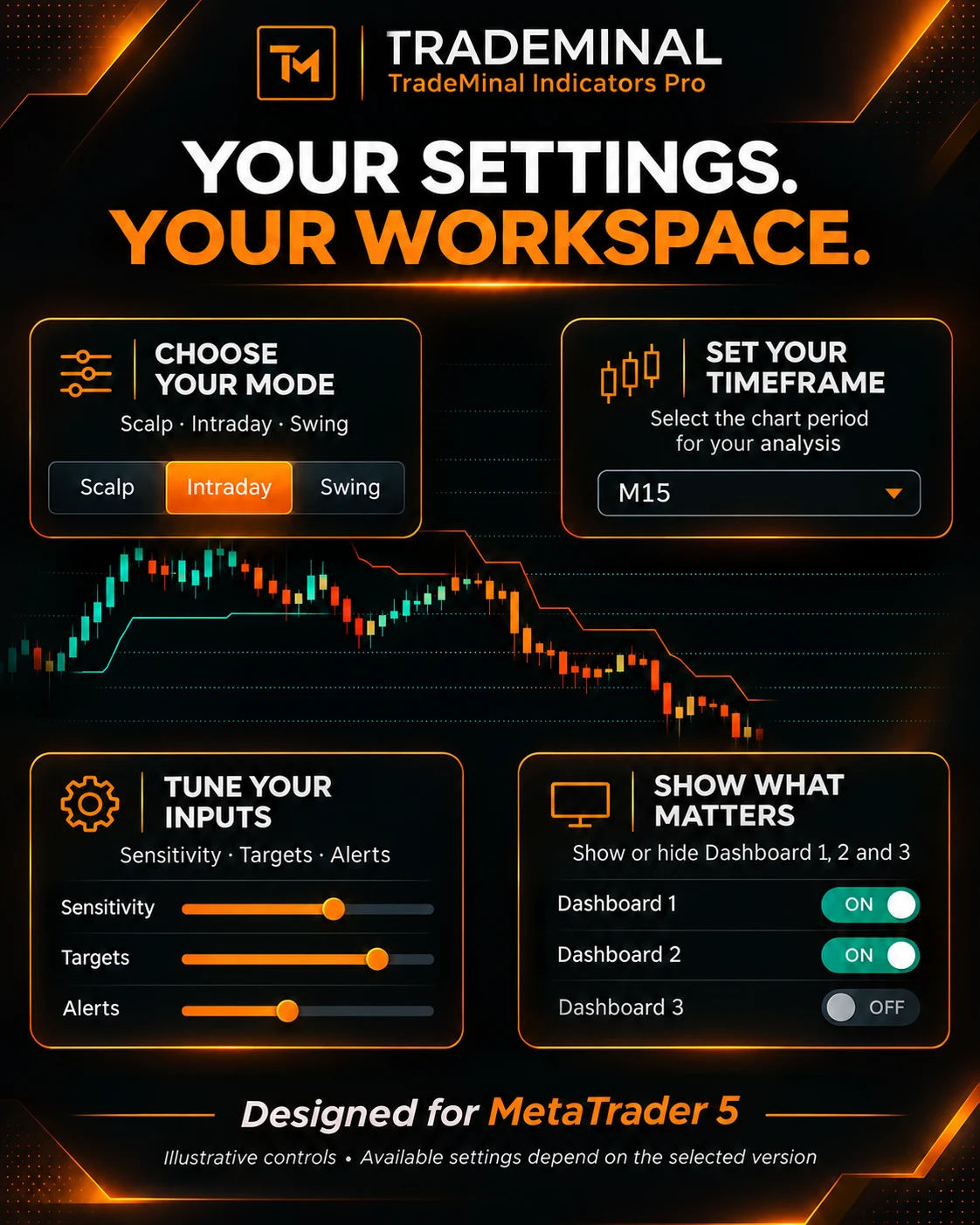
Configure mode, sensitivity, targets and alerts.
Show or hide dashboard panels to keep your chart in focus.
One indicator adapts to your selected instrument, placing price action alongside a relevant comparison basket.
Place each stock in its sector: all 22 main-market groups, plus Technology Hardware & Equipment in Nomu. Arabic company names and automatic sector selection.
Explore TradeMinal Saudi ExchangeSmart baskets use algorithmic reference selection. Measured relationships can be positive, inverse or weak and change over time. Quote availability and delays depend on TradingView data.
The Market edition is purchased, downloaded and activated through MQL5. The final price is shown at checkout.
View on MQL5Get the indicator free when you register under TradeMinal’s agency with one of our partners and maintain a balance above USD 5,000. Complete partner registration, sign in to TradeMinal and submit your account number. You receive download and installation instructions and an Activation ID by email. The edition stays locked until the team verifies agency eligibility and approves your MT5 account.
Request the free indicator Register with one of our partners Download availability is shown in your account. Installation does not mean activation approval. TRADEMINAL / TRADINGVIEW EDITION
View the published indicator on TradingView, then request access and send your username via WhatsApp. This is an invite-only indicator: it becomes available on your chart after team approval, and its source code stays hidden.
Request access nowView the indicator on TradingViewA separate edition with data and settings that may differ from MT5. TradingView subscriptions are separate.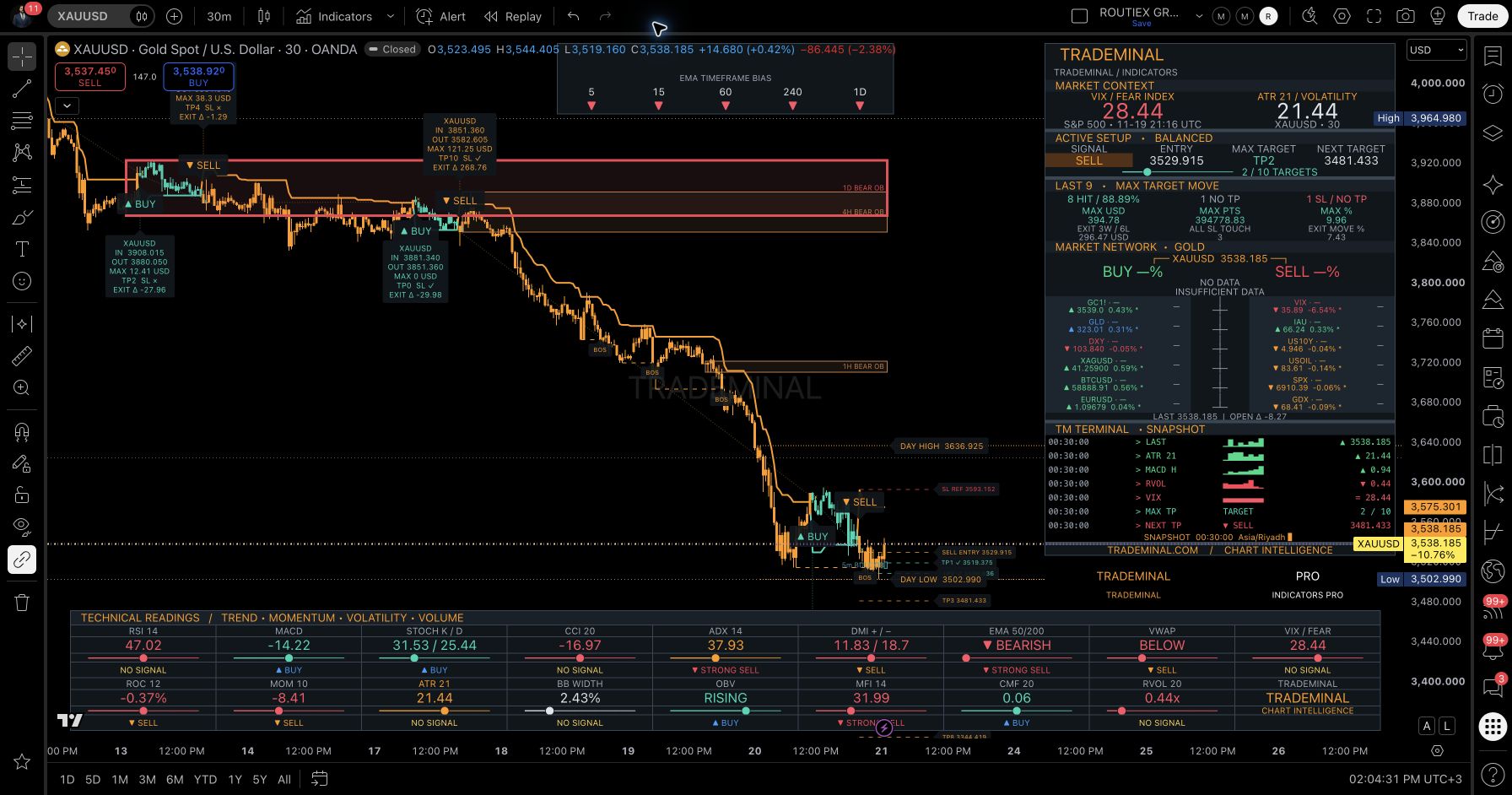
The original MT5 recording, with signals, targets and dashboard readings on screen.
Recorded 10 November 2026; values reflect the recording time, not a live feed.
Apply from your TradeMinal account. Receive installation instructions and your Activation ID by email, and follow your request status in your account.
MT5 · Sign in and complete the formExplore indicator results on the siteThe indicator uses technical rules and does not execute trades; platform AI tools are separate. Promotional artwork is illustrative, and historical results do not guarantee future performance.
Signals, targets and source settings in one workspace.
Awaiting the MT5 indicator journal
Watch the scenario unfold: entry, targets, follow-up. Then open Scalper to inspect actual market data.
The setup, targets and P&L above illustrate the interface; they are not a recommendation or a real trade. Source prices appear separately below.
Explore the indicator, targets and signal history.
Multiple markets. One clearer perspective.
Discover TradeMinal indicators for MT5 and TradingView. Buy and sell signals, target levels and technical readings on your chart, with dashboards and settings for your chosen platform.
Send your TradingView username via WhatsApp to request access. The indicator becomes available after team approval.
Request access nowView the indicator on TradingViewSign in or create a TradeMinal account, then complete the form with your MT5 account number. Track verification and downloads in your account.
MT5 · Sign in and complete the formFollow entry, stop and target progress on your chart.
Review the indicator’s recorded model outcomes.
Configure mode, sensitivity, targets and alerts.
Show or hide dashboard panels to keep your chart in focus.
One indicator adapts to your selected instrument, placing price action alongside a relevant comparison basket.
Place each stock in its sector: all 22 main-market groups, plus Technology Hardware & Equipment in Nomu. Arabic company names and automatic sector selection.
Explore TradeMinal Saudi ExchangeSmart baskets use algorithmic reference selection. Measured relationships can be positive, inverse or weak and change over time. Quote availability and delays depend on TradingView data.
The Market edition is purchased, downloaded and activated through MQL5. The final price is shown at checkout.
View on MQL5Get the indicator free when you register under TradeMinal’s agency with one of our partners and maintain a balance above USD 5,000. Complete partner registration, sign in to TradeMinal and submit your account number. You receive download and installation instructions and an Activation ID by email. The edition stays locked until the team verifies agency eligibility and approves your MT5 account.
Request the free indicator Register with one of our partners Download availability is shown in your account. Installation does not mean activation approval.TRADEMINAL / TRADINGVIEW EDITIONView the published indicator on TradingView, then request access and send your username via WhatsApp. This is an invite-only indicator: it becomes available on your chart after team approval, and its source code stays hidden.
Request access nowView the indicator on TradingViewA separate edition with data and settings that may differ from MT5. TradingView subscriptions are separate.The original MT5 recording, with signals, targets and dashboard readings on screen.
Recorded 10 November 2026; values reflect the recording time, not a live feed.
Apply from your TradeMinal account. Receive installation instructions and your Activation ID by email, and follow your request status in your account.
MT5 · Sign in and complete the formExplore indicator results on the siteThe indicator uses technical rules and does not execute trades; platform AI tools are separate. Promotional artwork is illustrative, and historical results do not guarantee future performance.
Signals, targets and source settings in one workspace.
Awaiting the MT5 indicator journal
Watch the scenario unfold: entry, targets, follow-up. Then open Scalper to inspect actual market data.
The setup, targets and P&L above illustrate the interface; they are not a recommendation or a real trade. Source prices appear separately below.